
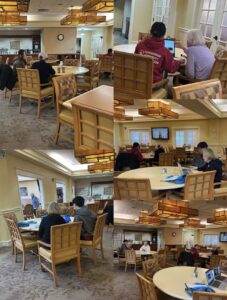
AYLUS Basking Ridge held its weekly iPad Club at Fellowship Village on 1/31/26, where members spent the morning helping seniors navigate their devices. Volunteers helped seniors get google drive file and docs from QR codes. Another volunteer also had a question what a VIP is, and the volunteer told the senior that it was people in their favorites list that can message and call you even when Do Not Disturb is turned on. The senior had also asked a follow up question of how to check if someone is in the favorites list, which the volunteer answered to by telling them to scroll down in Contacts until the favorite part. There was another senior who had an issue with knowing how to charge the watch with their mac. The volunteer told them to buy a charger with a different USB port and then find the right charger size to match the watch. The senior also had a problem with knowing how to fix the zoom camera, which the volunteer solved by sliding the laptop slider so that it was not blocking the camera. The senior had an issue with fixing the view for the zoom meeting and have the speaking person appear larger then everyone else. The volunteer told that the senior could pin somone, or have the mode set to speaker mode so that the person appearing the largest is the person who spoke. A senior also had an issue with deleting messages and voicemail which the volunteer greatly helped with. Finally a volunteer helped a senior to take a picture on their new iphone and send it to someone, as well as rearranging the tak bar on the laptop when it restarted.
Beyond learning new skills, the event gave seniors a sense of independence and confidence in using their devices. It also offered a chance to socialize, ask questions freely, and connect with volunteers and peers in a supportive environment. By the end of the morning, many participants felt empowered to capture memories, stay in touch with family and friends, and embrace technology as a helpful tool in their daily lives.
Screenshot