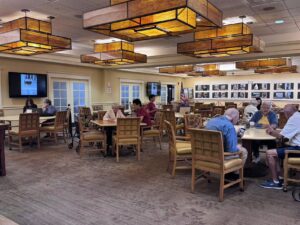
Today at Fellowship Village, volunteers helped seniors with a variety of technology questions. One senior needed assistance installing the Fellowship Village Go Icon application on their computer through a web browser. Volunteers also demonstrated how to edit bookmarks and shortcuts in Google Chrome to make frequently used websites easier to access. Other questions included how to maximize the benefits of an Amazon Prime subscription by setting up Amazon Music, Prime Video, and Amazon Photos. Volunteers helped troubleshoot Bluetooth connectivity on a phone and explained that Wi-Fi calling issues were related to the user’s cellular carrier, recommending that they contact their carrier for further assistance. Additional support included showing a senior how to access voicemail on a Lively Jitterbug iPhone, troubleshooting a lagging iPad to improve its performance, creating a Pinterest account, and explaining what email is, how it works, and how to create and access an email account.
At today’s tech session, volunteers empowered seniors to make better use of the technology and services available to them while providing individualized support for each question. Through clear explanations and hands-on guidance, seniors gained practical skills that will help them navigate their devices more independently. The session also fostered meaningful conversations and encouraged continued confidence in exploring new technology, leaving many participants feeling more prepared to use their devices in their daily lives.
Claire Zhang, Yihao Zeng, Bryan Yuan,Evelyn Xu (2.5HR, 7/11/26)